Invoicing solution for payments
Introduction
Context Xflowpay is a fintech company that offers cross-border payments. We started by serving businesses for higher transaction volumes. To reach a wider audience, we expanded to cater to freelancers and sole proprietors (FSPs). To better understand FSPs, we interviewed 50+ users, gathering valuable insights that shaped our product to be FSP-friendly. One key finding was the need for an integrated invoicing solution to streamline payment processes and enhance user experience.
Role
Lead Designer, Researcher
Team
4 people
Duration
3 months
Impact
- Invoices are created 20x times than they are being uploaded to our platform. Validating our hypothesis that invoicing solution integrated with payments would help the freelancers segment.
- Over 70% first time users created invoices without dropping off. The drop offs can be attribute to non-tool reasons as well.
- Median time to create invoice is ~3 minutes. This is including first time users who need a longer set-up. Repeat users complete creation in under 30 seconds.
Problem Statement
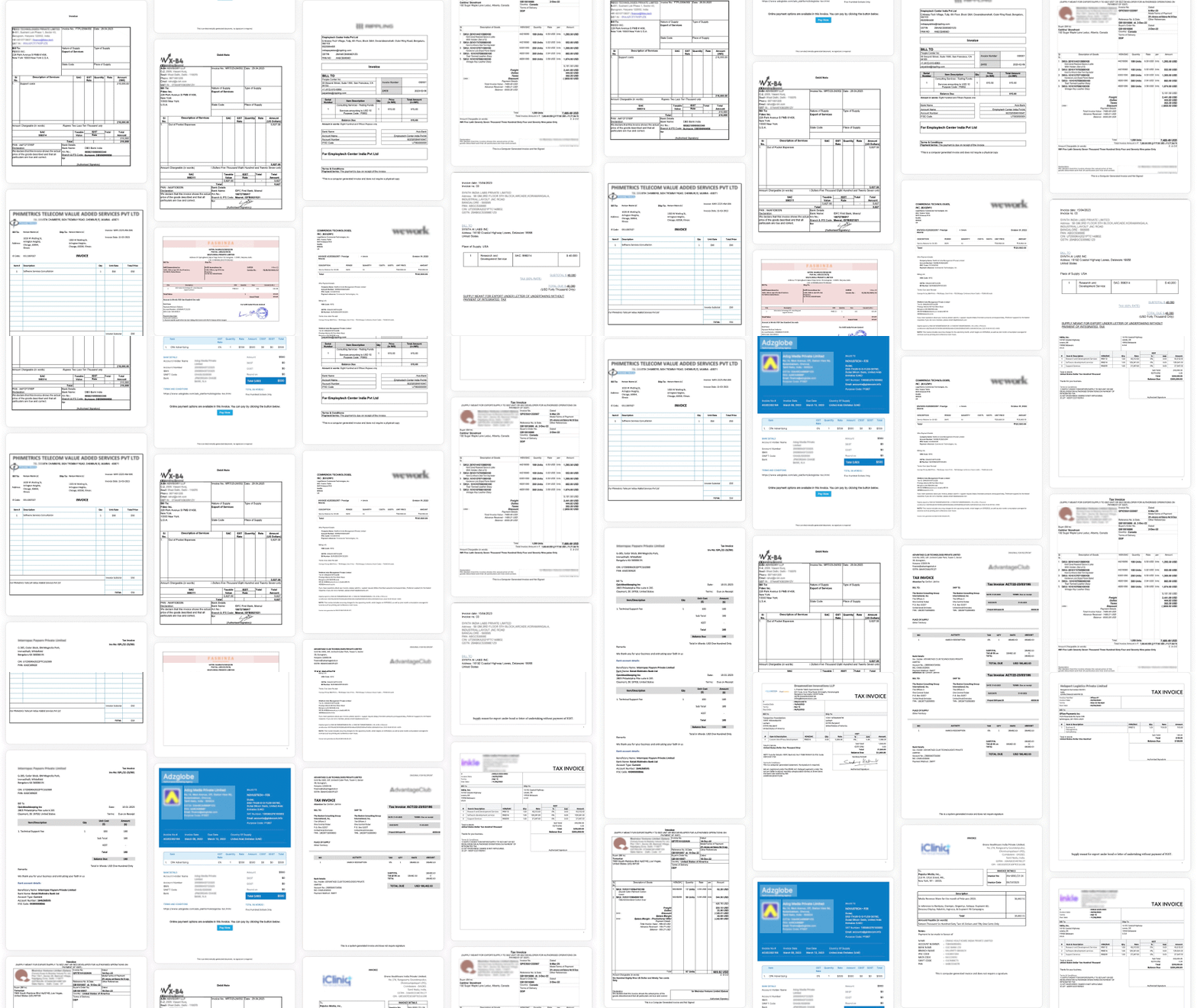
We are a new player trying to disrupt existing systems. One of the challenges was to get users to migrate from their existing methods of creating invoices. In our research we found that most users used general-purpose tools like Excel, Notion and Sheets. There was also a cohort of users using specialized invoicing tools like Zoho and Tally. Almost all of the users leaned towards free tools and readily available templates.

Insights
We are a new player trying to disrupt existing systems. One of the challenges was to get users to migrate from their existing methods of creating invoices. In our research we found that most users used general-purpose tools like Excel, Notion and Sheets. There was also a cohort of users using specialised invoicing tools like Zoho and Tally. Almost all of the users leaned towards free tools and readily available templates.
Information we needed to capture
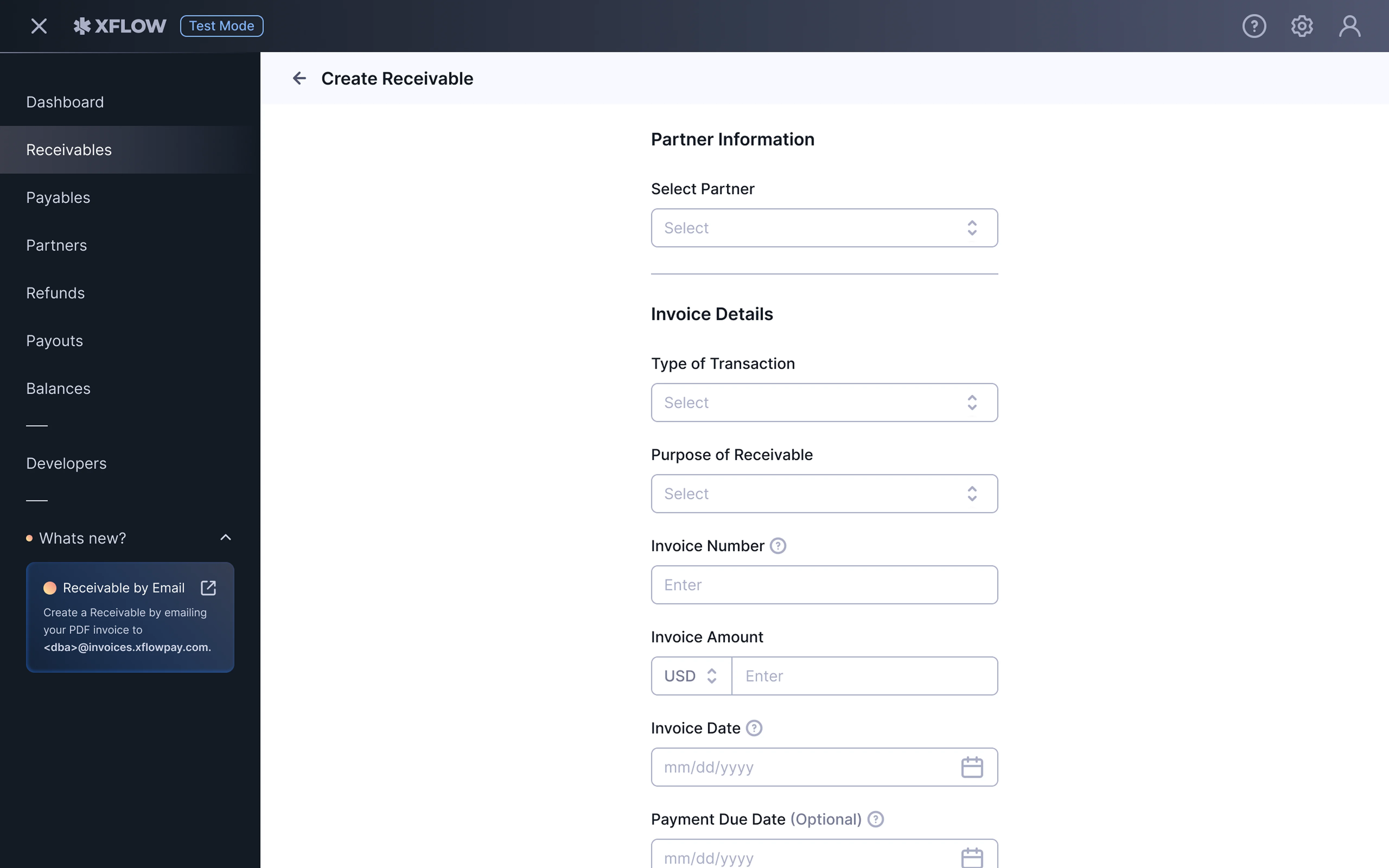
Based on our research, we identified the key information categories required for creating invoices.
Partner Details
Invoice Particulars
Invoice Item
Payment Info
Branding
User Details
UX Approaches
At a broad level we identified two approaches based on interaction with the invoice tool. While an interaction in-situ on the invoice document is very intuitive, it lacks flow curation and may lead to frustration down the line for users. The form and preview approach allows staged information sorting and also prevents information overload.
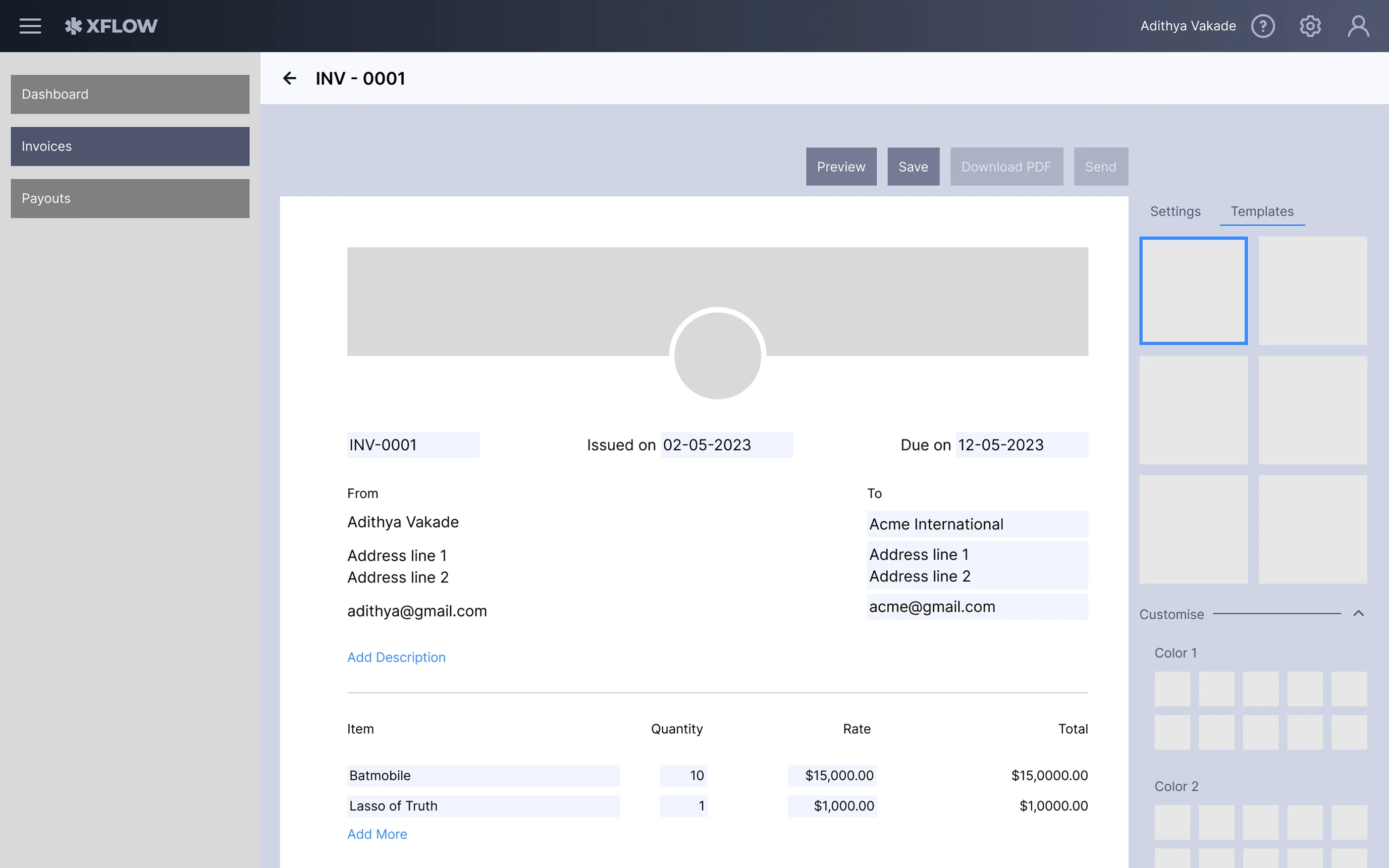
In-situ approach - WYSIWYG approach to let a user directly interact with invoice document. Paypal provides a similar tool.
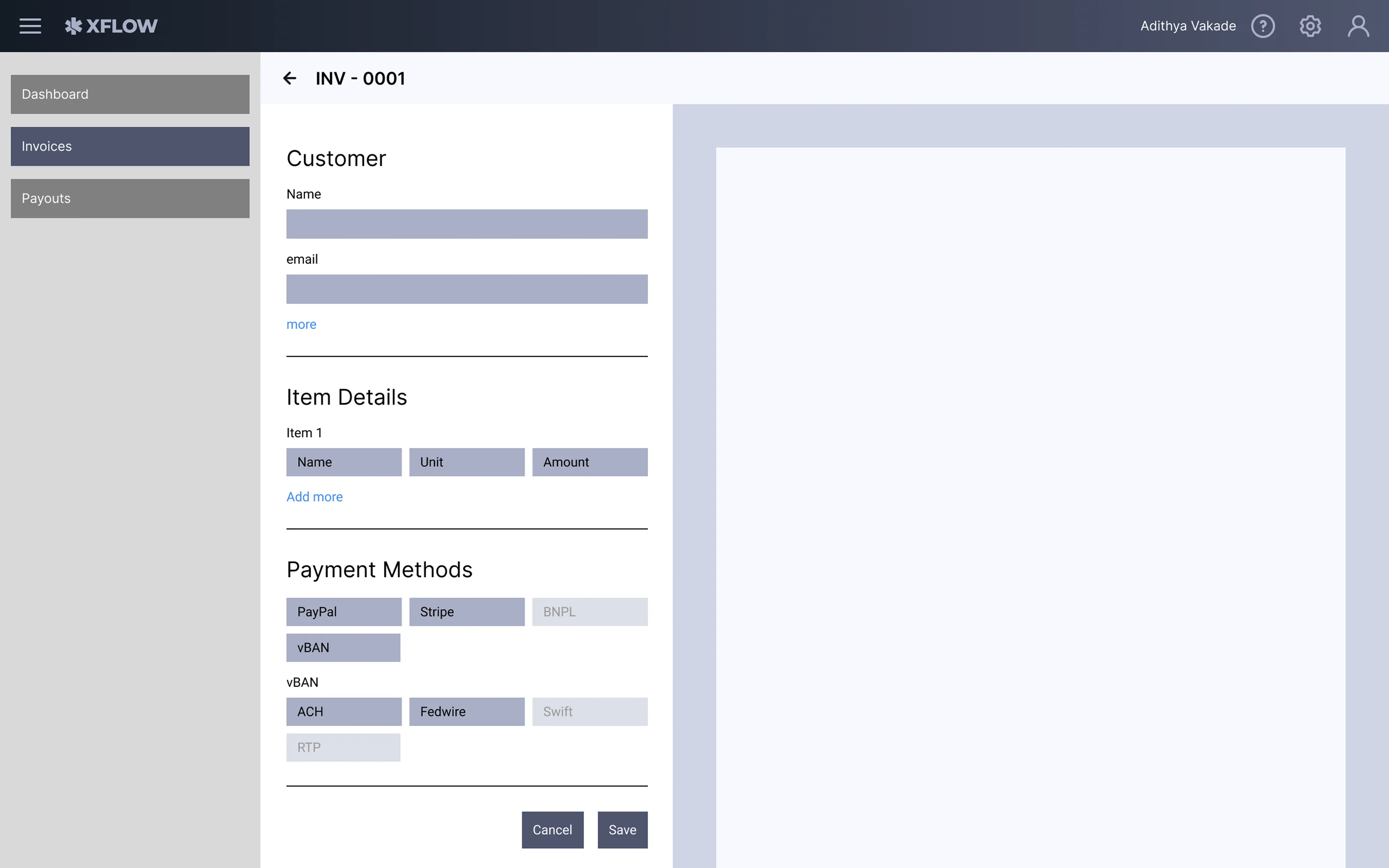
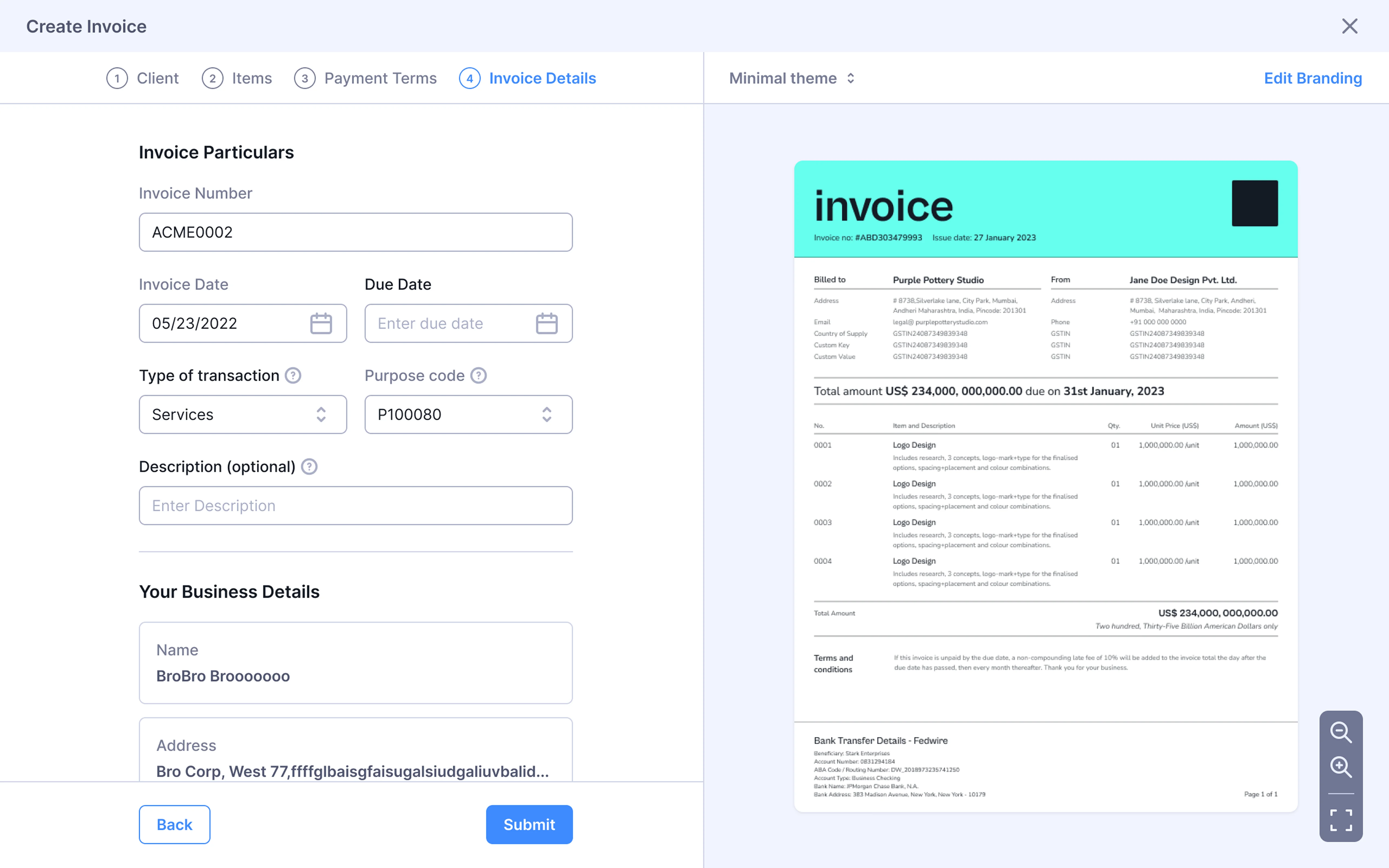
Form and preview - Form on left and preview on the right. The invoice generated is 1:1 of the output. Stripe follows a similar approach.
Wireframes
Invoice Creation Flow
A step-by-step walkthrough of how a user creates an invoice, from adding partner details to sending the final invoice.
Final Product
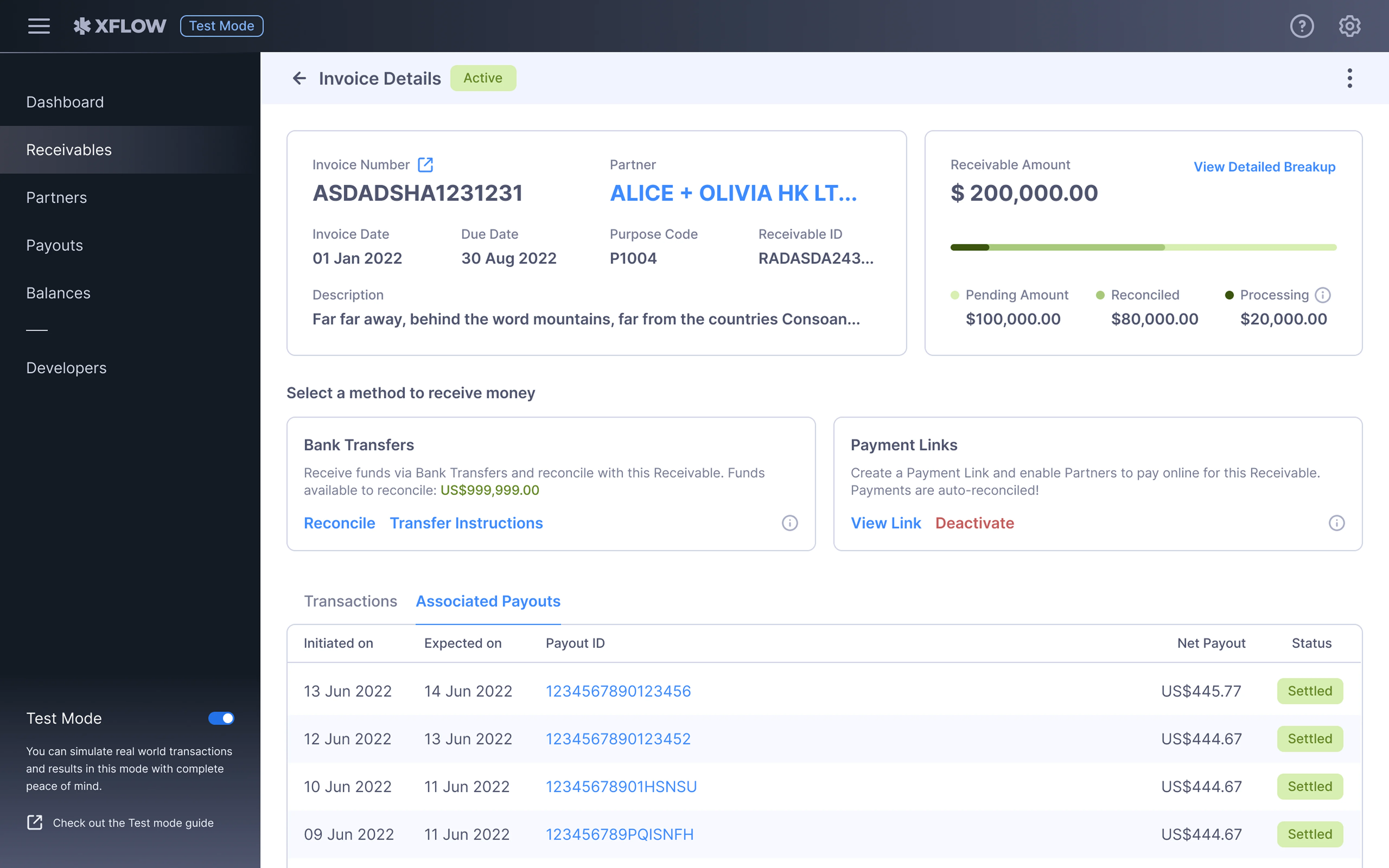
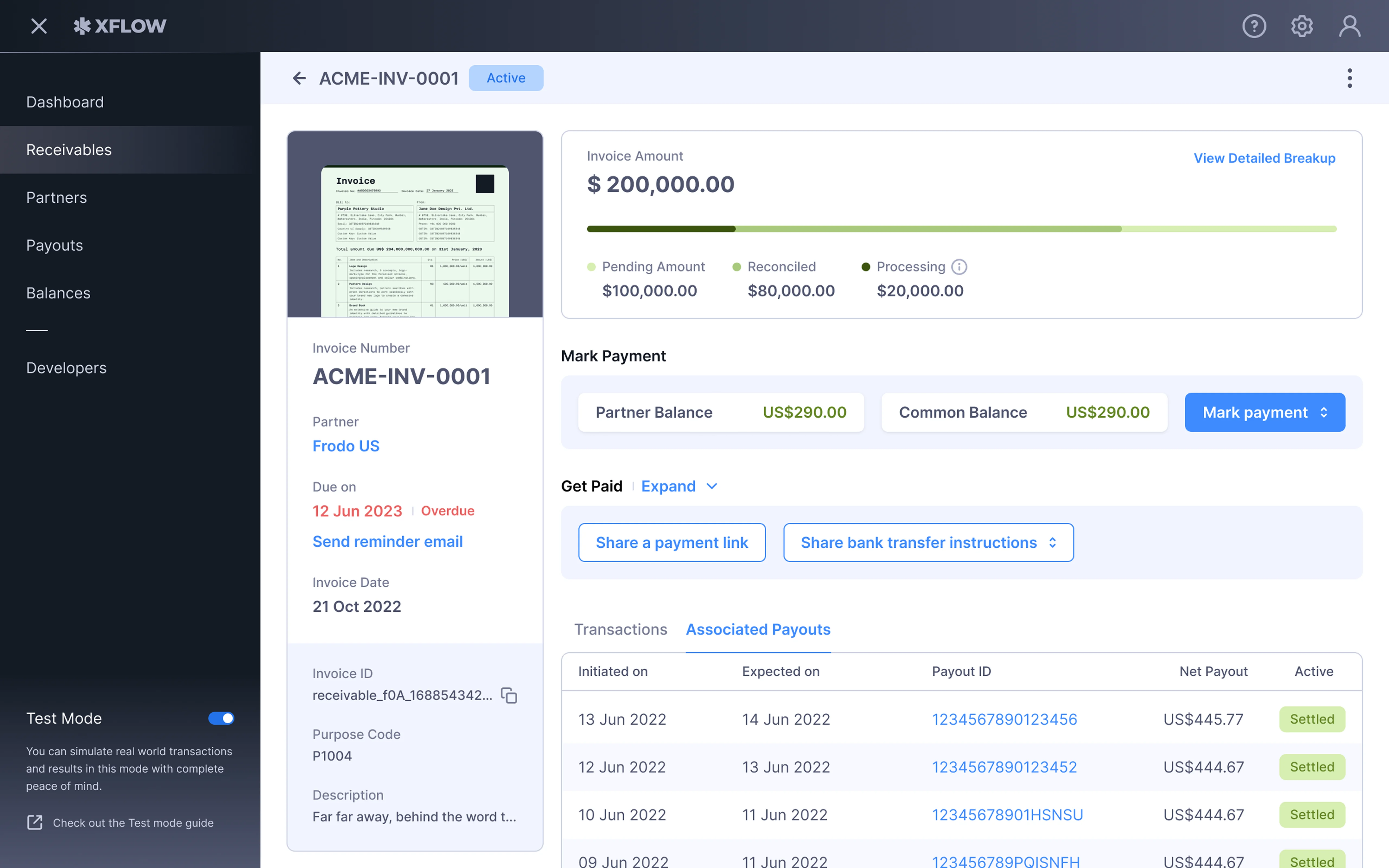
Ecosystem
Invoices are one of the core elements of the workflow of our product. Creating an invoice was a net new offering. As a part of this, we also revamped our existing invoicing elements.